Download, Install and Update CK-Prog Software
Matched product:
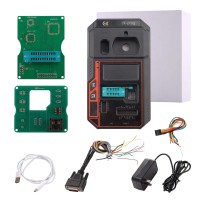
CK-PROG Automotive Programmer Supports Reading and Writing of Chip Data, Programming, Flashing Supports Key Renew BMW BDC2 BDC3 MQB49 5C 5D
$599
- Item No. SK509
- Free Shipping
It supports programming operations such as chip reading, writing, erasing, unlocking, locking, and data verification, as well as user-defined programming menus for one-click flashing.
How to download, install and update CK-Prog universal ECU programmer software.
Connect the power cable and check if the small screen turns on.
If the screen lights up, it means there’s no issue with the power cable.

Next, check if there’s any problem with the Type-C USB connection.
The screen will also light up when you plug in the Typc-C USB cable.

Connect CK-Prog programmer with the computer as follows:

Contact obdii365.com customer service to send you the CK-Prog software download link.
Download and install CK-Prog setup.exe software.


Run CK-Prog software.
Check device serial number on the top right corner.
Check new software update. The CK Prog comes with 1 year free software update.

Now the CK Prog device is ready to use.